Direct Answer
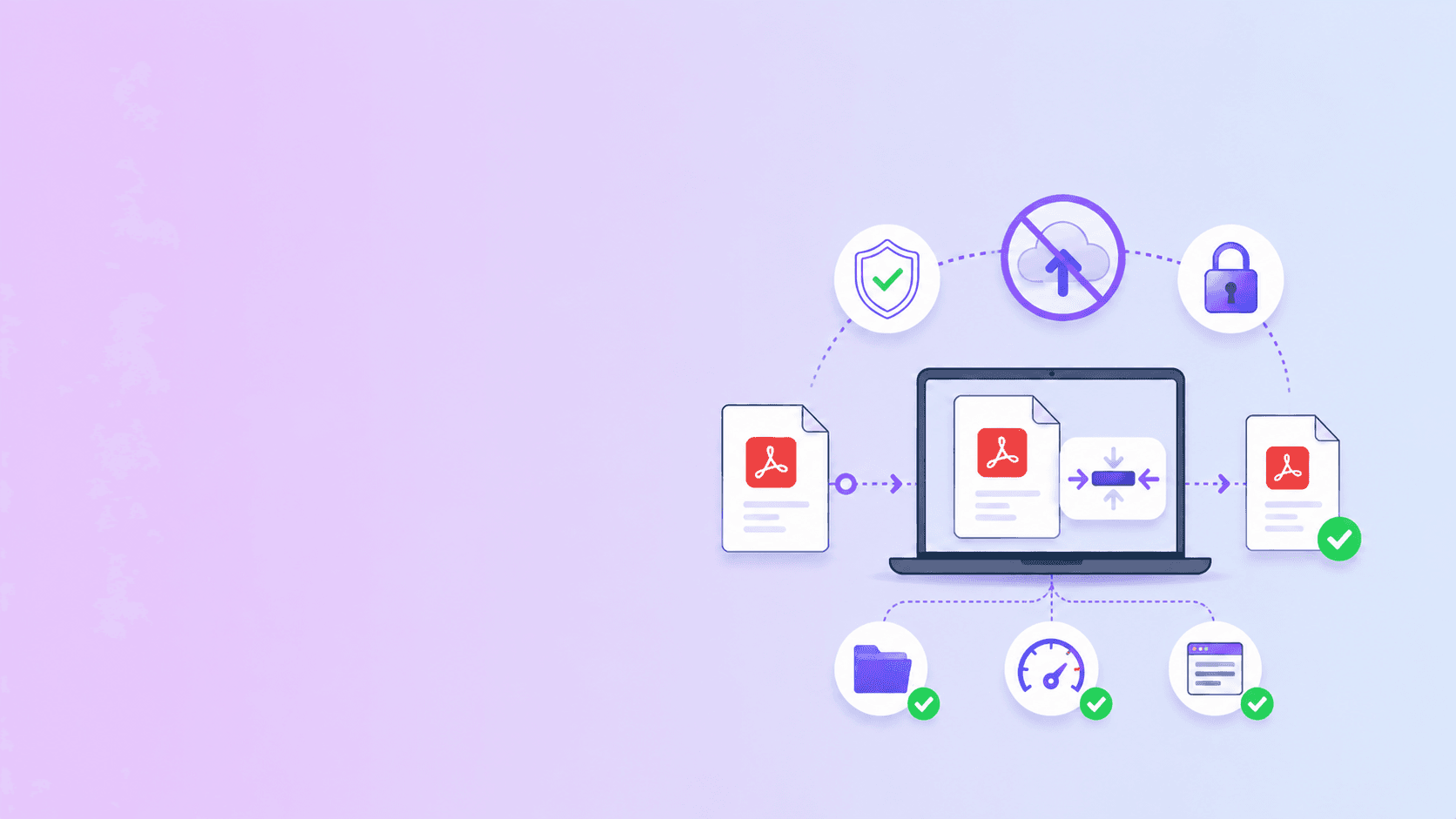
It can be safe to use an online PDF converter for confidential documents only when you understand and accept the upload risk. For high-sensitivity files, the safer default is to use a no-upload browser tool whenever the task can be completed locally.
Use cloud PDF tools when hosted processing is necessary. Use browser-based tools when you only need to merge, split, rotate, remove pages, organize, password protect, compress privately, or OCR a straightforward scanned document.
What Counts as a Confidential PDF?
A PDF is confidential if exposure would create personal, legal, financial, commercial, or compliance risk.
Common examples include:
- Contracts and NDAs.
- Tax documents.
- Invoices and bank statements.
- HR documents and resumes.
- Medical records.
- Identity documents.
- Legal filings.
- Client deliverables.
- Internal reports.
- School or immigration paperwork.
The question is not whether the PDF is interesting to a stranger. The question is whether you would be comfortable sending it to a third-party server without a clear reason.
The Real Risk With Online Converters
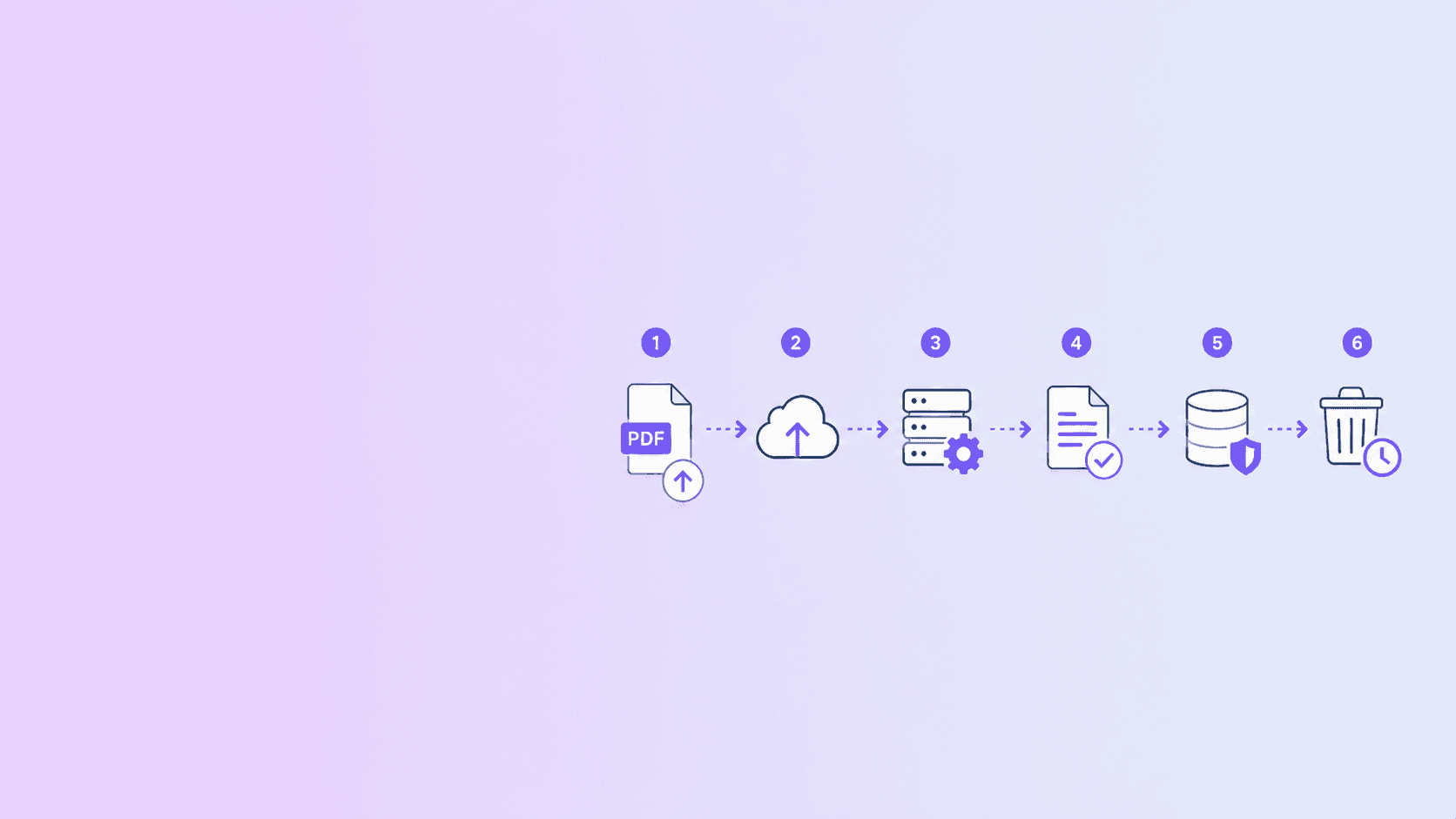
An online converter usually works like this:
- Your browser uploads the PDF to a server.
- The server stores the file temporarily.
- A worker processes it.
- The output is stored temporarily.
- You download the result.
- A cleanup job deletes files later.
That design is not automatically unsafe. Many legitimate services use it. But it creates a chain of trust. You are trusting the provider's infrastructure, employees, code, logs, subprocesses, deletion system, and third-party vendors.
For ordinary public documents, that may be acceptable. For confidential files, it deserves a deliberate decision.
When Online PDF Converters Are Reasonable
Uploading can be reasonable when:
- The PDF contains public or low-risk information.
- The task cannot run well in the browser.
- You need server-side tools such as heavy compression or document conversion.
- The provider explains retention clearly.
- You trust the provider's security posture.
- You have permission to process the document with a third party.
For example, converting a public webpage to PDF requires a server-side browser if you want consistent rendering. Strong compression can also benefit from server-side tools.
The key is transparency. Users should know which path they are choosing.
When You Should Avoid Uploading
Avoid cloud converters for confidential PDFs when:
- You only need to remove or reorder pages.
- You only need to merge a few files.
- You only need to rotate pages.
- You only need password protection.
- You only need a smaller file and browser compression is enough.
- You do not know the provider's retention policy.
- Your organization prohibits uploading client data to unapproved tools.
In those cases, a local browser workflow is usually the better answer.
Safer Browser-Based Alternatives
ShellPDFs separates local and server workflows so you can choose the right path:
| Task | Safer first choice |
|---|---|
| Merge confidential files | Merge PDF |
| Remove sensitive pages | Remove PDF Pages |
| Reorder or rotate pages | Organize PDF |
| Add password protection | Password Protect PDF |
| Compress a routine PDF | Compress PDF private mode |
| OCR a scanned English PDF | OCR PDF |
These workflows reduce exposure because the PDF does not need to become a server-side artifact.
Confidential PDF Upload Checklist
Before uploading a sensitive PDF, answer these questions:
- Does the tool clearly say whether files are uploaded?
- Is the privacy policy specific about document retention?
- Are files deleted after download or after a fixed TTL?
- Are downloads scoped to the user or job owner?
- Does the service say it does not use documents for training or marketing?
- Does the tool have rate limits and abuse protection?
- Is there a way to use a local tool instead?
- Would your employer or client approve this processor?
If you cannot answer these questions, do not upload the file.
Best Practice Workflow
For confidential PDFs, use this order:
- Do every possible edit locally.
- Remove sensitive or unnecessary pages before any upload.
- Compress privately first.
- Use server-side processing only when needed.
- Download promptly.
- Do not rely on an online tool as storage.
- Password protect the final file if you will send it externally.
This workflow keeps cloud exposure proportional to the task.
Key Takeaway
Online PDF converters are convenient, but confidential documents need a higher standard. If the task can be done in your browser, avoid uploading the file. If the task requires a server, choose a provider that clearly explains temporary processing, deletion, and access controls.
Start with local tools whenever possible. Use ShellPDFs for browser-based PDF workflows, and reserve server processing for jobs that genuinely need it.
Frequently Asked Questions
ShellPDFs Editorial Desk
ShellPDFs Editorial Desk is the byline we use for product-tested guides reviewed against the live tool flow, privacy boundaries, and file-handling rules before publication. See our editorial standards for the process behind each article.
Focus: Document privacy, browser-based PDF tools, and cloud-processing risk analysis
Questions or feedback? Get in touch.