Direct Answer
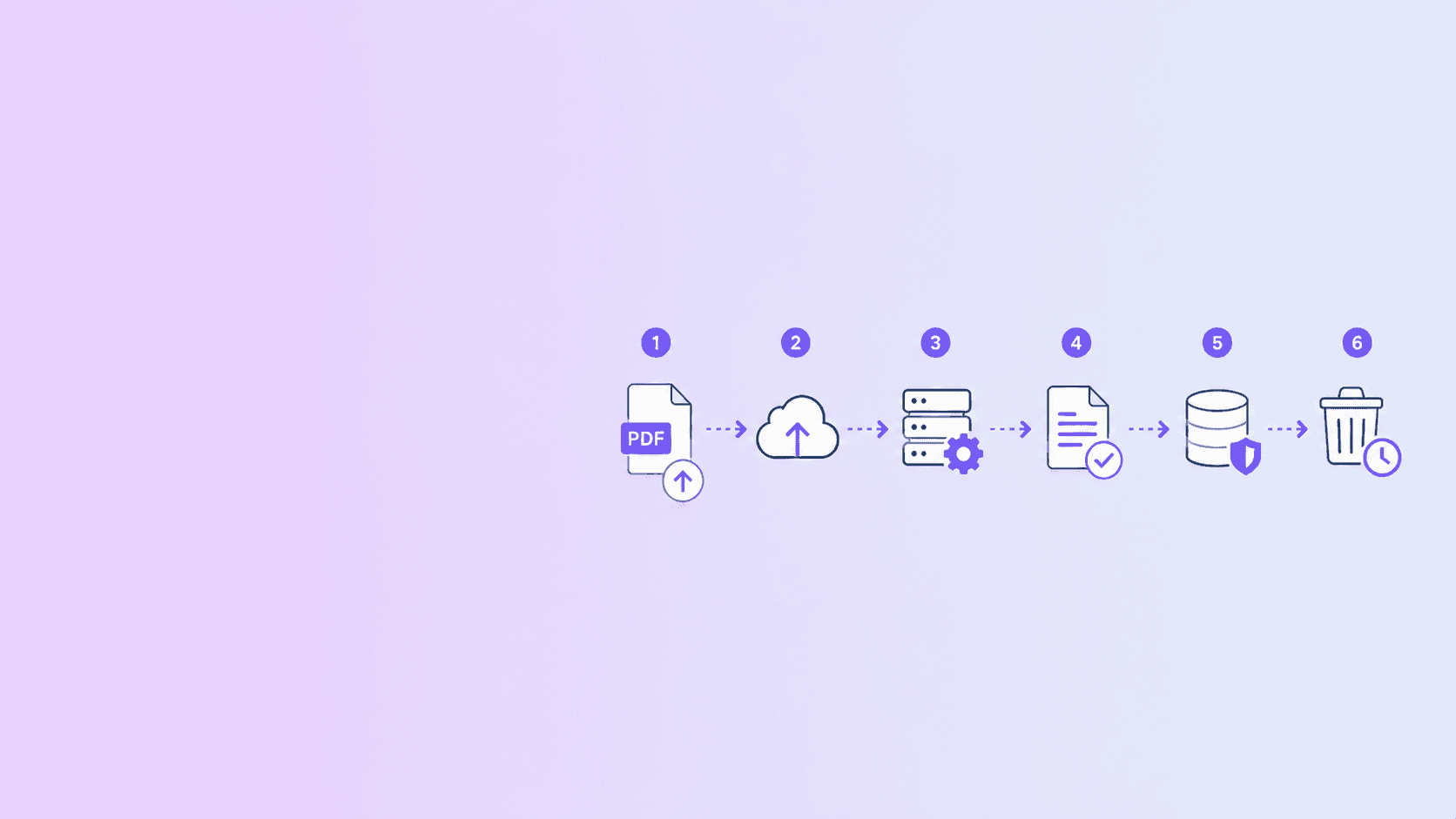
When you upload a PDF to an online converter, your browser sends the file to a remote server. The service usually stores it temporarily, processes it with a backend worker, stores the output, gives you a download link, and later deletes the files according to its retention policy.
This can be safe with a trustworthy provider, but it is not the same as local browser processing. If the PDF is confidential and the task can run locally, avoid uploading it.
The Typical Cloud PDF Lifecycle
Most online PDF converters follow a similar pattern.
1. Your browser sends the file
The PDF leaves your device through an HTTP upload, usually as multipart form data. If the site uses HTTPS, the upload is encrypted in transit.
Encryption in transit protects the file while traveling across the network. It does not mean the provider cannot process the file after receiving it.
2. The server validates the upload
A responsible service checks:
- File extension.
- MIME type.
- PDF magic bytes.
- File size.
- Page count.
- Corruption or encryption.
- Abuse signals.
Validation protects the service from malicious files and helps avoid broken output.
3. The file is stored temporarily
Many converters write the upload to temporary storage so a worker can process it. This may be local disk, object storage, or another internal storage layer.
The key privacy question is how long that temporary file exists and who or what can access it.
4. A worker processes the PDF
The worker may run tools such as PDF libraries, Ghostscript, QPDF, Chromium, OCR engines, or document conversion utilities.
This is where the transformation happens:
- Compress.
- Convert.
- OCR.
- Render.
- Extract.
- Rebuild.
Heavy PDF work is often isolated in workers because it can be CPU-intensive and sometimes risky.
5. The output is stored
After processing, the service stores the resulting PDF or converted file so you can download it. Some tools delete the source immediately and keep only the output for a short period. Others keep both until cleanup.
Good services explain this clearly.
6. You download the result
The converter returns a download link, job link, or file response. Ideally, the link is access-controlled and expires.
Weak download design can expose files if URLs are guessable, shareable without authentication, or retained too long.
7. Cleanup runs
Cleanup may happen:
- Immediately after download.
- After a fixed time window.
- On a scheduled sweep.
- When the job record expires.
For privacy-sensitive users, "deleted within one hour" is much clearer than vague language like "deleted soon."
What Data May Be Logged
Even if the document content is not logged, services may log metadata:
- IP address or hashed IP.
- User agent.
- Timestamp.
- File size.
- Job ID.
- Tool used.
- Processing status.
- Error messages.
- Download status.
Metadata is normal for security and reliability. The important boundary is whether document contents, extracted text, filenames, or full URLs are logged unnecessarily.
What Could Go Wrong?
The main risks are:
- Files retained longer than expected.
- Output links accessible to the wrong person.
- Logs containing sensitive document details.
- Weak isolation between jobs.
- Third-party subprocesses or vendors.
- No clear deletion policy.
- A business model that depends on aggressive tracking.
These risks do not mean all cloud converters are unsafe. They mean uploading should be a conscious decision.
Browser-Based Processing Avoids the Upload Lifecycle
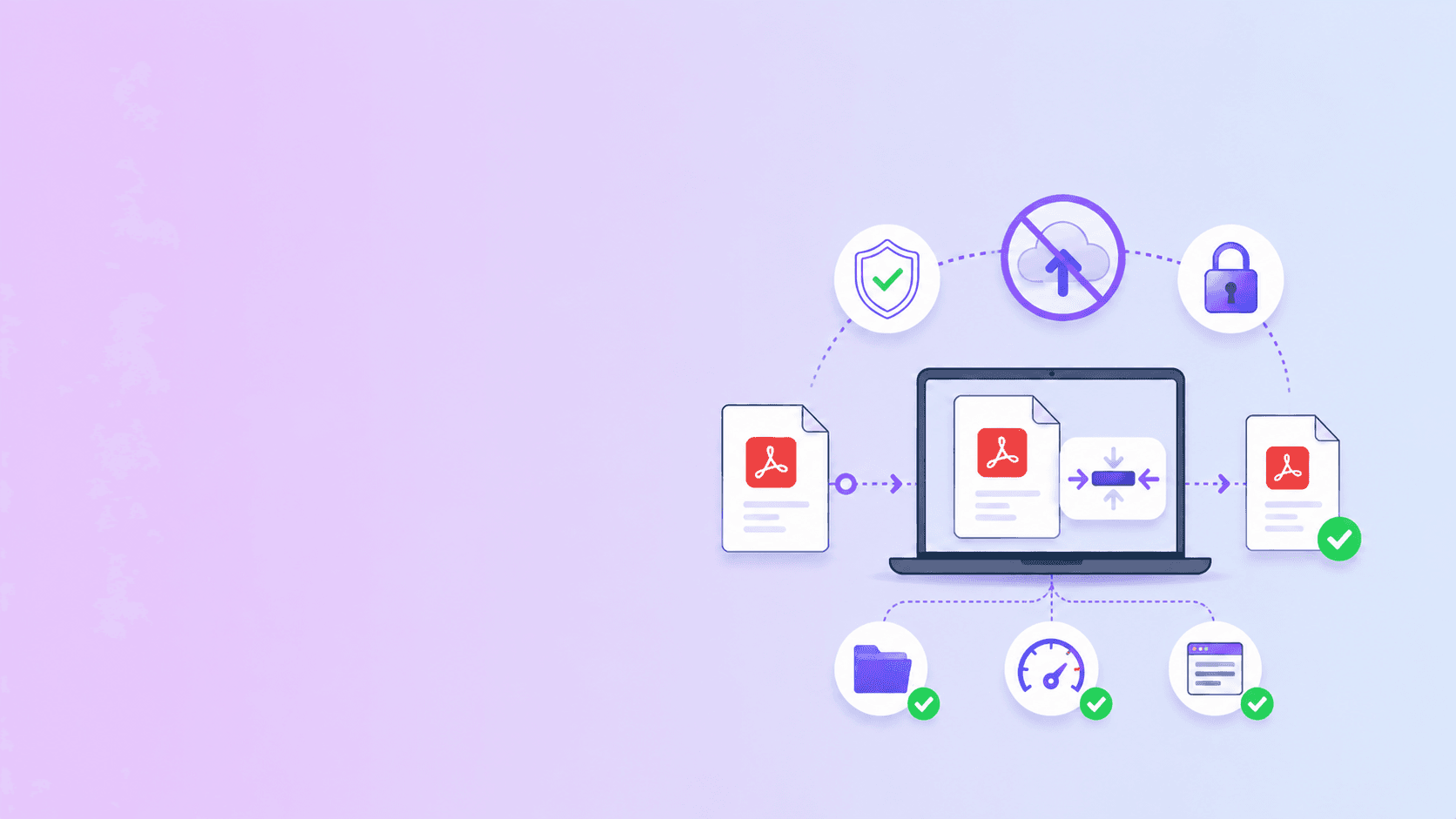
For many PDF tasks, you can skip the cloud lifecycle entirely.
ShellPDFs browser tools can handle:
- Merge PDF.
- Split PDF.
- Remove pages.
- Organize pages.
- Rotate pages.
- Password protect PDF.
- Markdown to PDF.
- Private compression.
- OCR for supported scans.
In these workflows, the file is processed on your device and the output is generated locally.
When Uploading Is Still Necessary
Some tasks need server processing:
- Webpage-to-PDF capture of public URLs.
- PDF to Word conversion.
- Stronger compression for difficult files.
- Some large batch workflows.
- Some advanced OCR or extraction jobs.
For these cases, use a provider with clear temporary storage, access controls, file validation, rate limiting, and deletion.
Key Takeaway
Uploading a PDF to an online converter creates a server-side processing lifecycle. That lifecycle can be secure, but it is still a trust decision.
If the task can run locally, use a browser-based tool. If the task needs a server, choose a provider that clearly explains what happens to your file from upload to deletion.
Frequently Asked Questions
ShellPDFs Editorial Desk
ShellPDFs Editorial Desk is the byline we use for product-tested guides reviewed against the live tool flow, privacy boundaries, and file-handling rules before publication. See our editorial standards for the process behind each article.
Focus: Cloud PDF processing architecture, temporary storage, and privacy-first document workflows
Questions or feedback? Get in touch.